Nejčastější problémy s dálkovými ovladači a jejich řešení
Dálkový ovladač přestal fungovat nebo reaguje špatně? Přečtěte si nejčastější příčiny poruch a jak je snadno opravit doma bez odborníka — od vybitých baterií po znečištěná tlačítka.
Dálkový ovladač přestal fungovat právě ve chvíli, kdy si chcete sednout ke svému oblíbenému seriálu. Tato situace je frustrující, ale ve většině případů není třeba volat technika.
Problém 1: Ovladač nereaguje vůbec
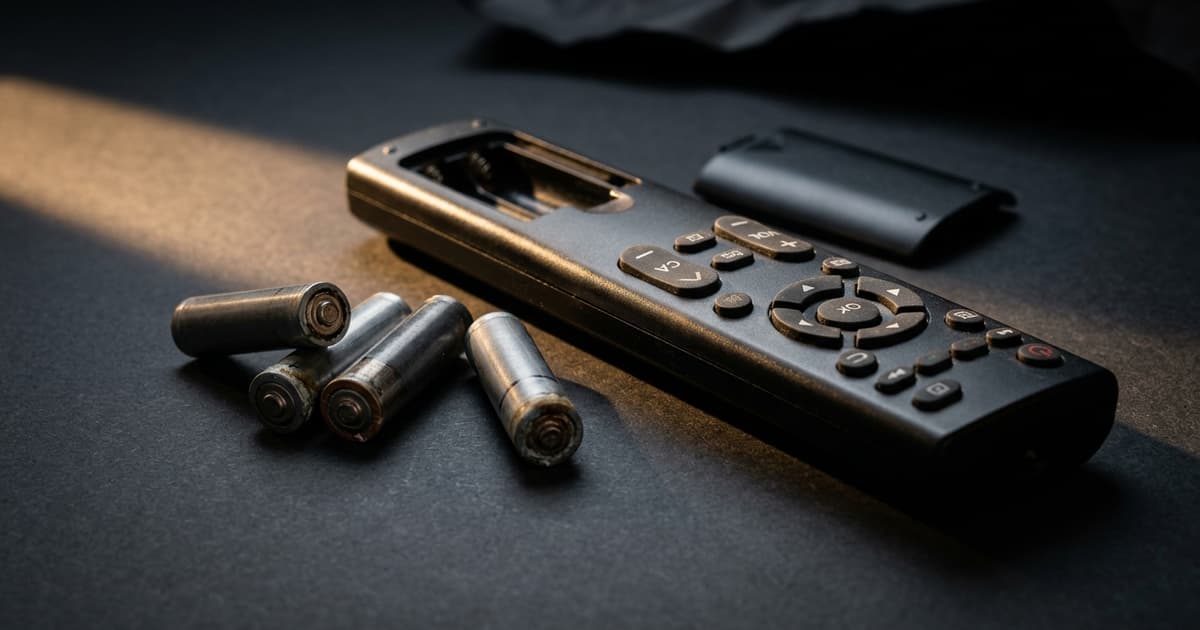
Nejpravděpodobnější příčina jsou vybité baterie.
Řešení: Vyměňte baterie za nové, ujistěte se o správné orientaci (+ a -), vyčistěte zoxidované kontakty suchým hadříkem.
Test baterií: Přiložte přední kameru telefonu k IR čidlu ovladače a mačkejte tlačítka. Měli byste vidět blikání fialového nebo bílého světla — tím ověříte, že ovladač vysílá signál.
Problém 2: Ovladač reaguje jen někdy nebo ze špatného úhlu
Příčiny: znečištěné IR čidlo, slabé baterie, překážka mezi ovladačem a TV, rušení od přímého slunce.
Řešení: Vyčistěte IR čidlo na ovladači i televizoru jemným hadříkem. Odstraňte předměty (vázy, dekorace) před TV. Stáhněte závěsy blokující přímé slunce.
Problém 3: Tlačítka reagují se zpožděním nebo musíte mačkat opakovaně
Příčina: znečištěná nebo opotřebovaná gumová tlačítka.
Čištění ovladače:
- Vyjměte baterie
- Otevřete ovladač (obvykle šroubky na zadní straně)
- Vyčistěte gumovou membránu a PCB vatovými tampony s isopropylalkoholem
- Nechte důkladně vyschnout (alespoň 30 minut)
- Sestavte a vložte baterie
Problém 4: Fungují jen některá tlačítka
Příčina: poškozená gumová podložka nebo stopy na PCB desce.
Řešení: Naneste grafit (z grafitové tužky) na spodní část gumové podložky u nereagujícího tlačítka. Grafit vede elektrický proud a obnoví kontakt.
Problém 5: Ovladač byl mokrý nebo spadl do vody
- Ihned vyjměte baterie
- Otřete vnější části a otevřete ovladač
- Nechte v suchu 24–48 hodin (lze urychlit rýží nebo silikagelovou sáčkem)
- Teprve pak vložte nové baterie a otestujte
Nikdy nevkládejte baterie do mokrého ovladače — riskujete zkrat a trvalé poškození.
Kdy koupit nový ovladač
Kupte nový ovladač pokud: ovladač je fyzicky velmi poškozený, vnitřní elektronika je korozí poškozená, nebo oprava by stála víc než nový ovladač.
Závěr
Vybité baterie a znečištěné kontakty způsobují 80 % poruch. Zkuste tyto kroky před koupí nového ovladače. Na devicero.cz nabízíme originální i kompatibilní modely pro všechny značky.