Jak naprogramovat univerzální dálkový ovladač
Nevíte, jak nastavit nový univerzální dálkový ovladač? Průvodce popisuje tři jednoduché metody programování krok za krokem — pro televizory, klimatizace i další spotřebiče.
Programování univerzálního ovladače je jednodušší, než se zdá. Tento průvodce vás provede třemi nejčastějšími metodami.
Před začátkem: Co budete potřebovat
- Nový univerzální ovladač a jeho manuál
- Číslo modelu zařízení, které chcete ovládat
- Nové baterie v ovladači
Metoda 1: Programování pomocí kódu
Každý výrobce a model zařízení má přiřazený numerický kód.
- Najděte kód pro vaše zařízení v manuálu ovladače nebo na webu výrobce. Pro televizi Samsung to může být kód 0101 nebo 0019.
- Zapněte zařízení, které chcete programovat.
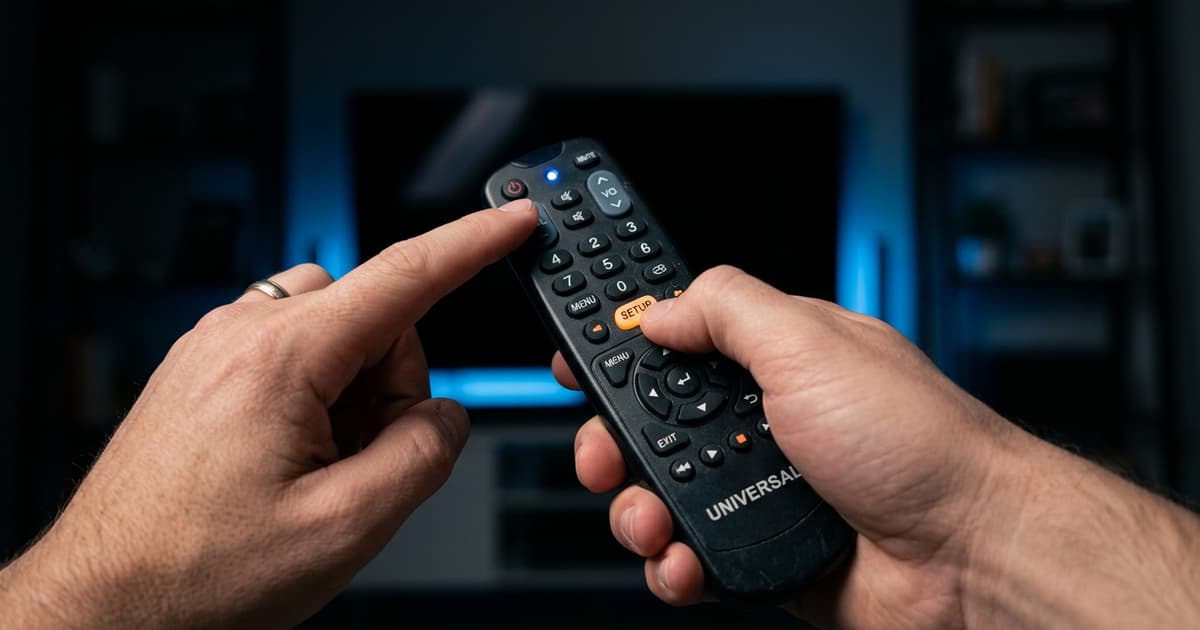
- Stiskněte a podržte tlačítko SETUP (nebo SET), dokud indikátor LED nezabliká.
- Stiskněte tlačítko zařízení (TV, DVD, AUX).
- Zadejte čtyřmístný kód pomocí číselných tlačítek.
- Otestujte — zkuste Power. Pokud se zařízení vypnulo, programování bylo úspěšné!
- Pokud kód nefunguje, zkuste další kód ze seznamu pro daného výrobce.
Metoda 2: Automatické vyhledávání kódu
- Zapněte zařízení a stiskněte a podržte SETUP.
- Stiskněte tlačítko zařízení.
- Opakovaně stiskněte Power (každé 2 sekundy) — ovladač testuje kódy.
- Jakmile se zařízení vypne, přestaňte stiskat Power.
- Uložte kód stisknutím SETUP nebo Enter.
Metoda 3: Učení ze starého ovladače
- Umístěte oba ovladače naproti sobě (IR čidla ve vzdálenosti 3–5 cm).
- Na novém ovladači podržte tlačítko, které chcete naučit.
- Na původním ovladači stiskněte odpovídající tlačítko.
- LED potvrdí úspěšné naučení.
- Opakujte pro každé tlačítko.
Programování přes aplikaci
Moderní ovladače jako Logitech Harmony nebo SofaBaton se nastavují přes smartphone:
- Stáhněte aplikaci výrobce
- Vytvořte si účet a přidejte svá zařízení
- Aplikace automaticky stáhne správné kódy
- Synchronizujte s ovladačem přes USB nebo Bluetooth
Řešení nejčastějších problémů
Ovladač nereaguje: zkontrolujte baterie, ověřte IR čidlo. Fungují jen některá tlačítka: zkuste jiný kód nebo metodu učení. Nemohu najít kód: navštivte web výrobce nebo kontaktujte podporu devicero.cz.
Závěr
Programování ovladače je jednoduchý proces. Nejdůležitější je mít manuál a číslo modelu zařízení. Pokud si stále nevíte rady, náš tým na devicero.cz vám rád pomůže.